Assistant for PrestaShop1.2.1
Publisher Description
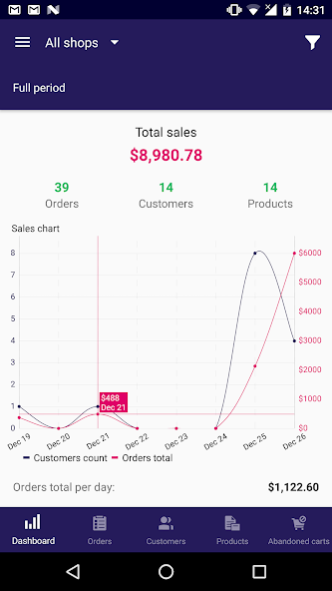
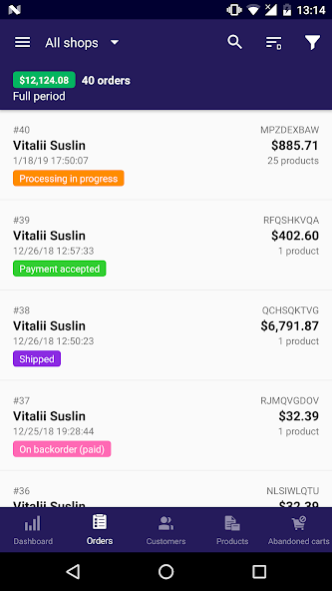
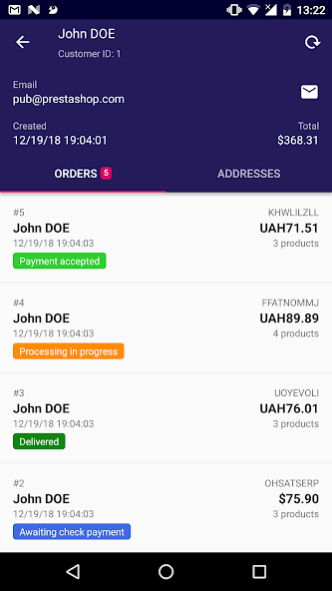
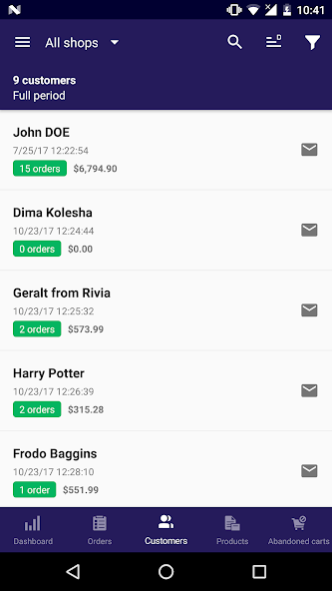
NOTE: The connector module for Mobile Assistant is FREE for use. Follow the link
https://mobile-store-assistant-help.emagicone.com/3-prestashop-mobile-assistant-installation-instructions/2-1-user-manual
to open documentation and use the very first link there to download the connector module.
****************************************************************************
Feel stressed leaving your PrestaShop store off-hand during your vacation, meetings or conferences? Are you carrying a laptop everywhere you go, repeatedly searching the answer for bothering questions in your mind - ‘What’s going on at my store?’
With
Mobile Assistant for PrestaShop
on you can be on the move and have access to the real-time store data reports at your fingertips. Using it you can monitor key details on your products, customers, and orders from your Android device wherever you are.
NO laptop, NO browser ... and NO investment needed.
BENEFITS:
- No charges, FREE application to access store data
- Highly intuitive user interface
- A quick way to see your store statistics
- A clear sight of detailed reports on your PrestaShop data in your pocket
- Native Android and native PrestaShop app
FEATURES:
• Quick lookup of necessary products, searching them by ID, SKU or Name
• Ability to get notifications on orders made during a predefined period of time, filter them by status, change it right from mobile phone or tablet
• Be notified about new customers and orders and change order status
• View clients registered today/this week/month/year or any period
• Browse store statistics smartly visualized by means of diagrams
• Wide filtering possibilities for faster results viewing in application widget
• Barcode scanner for tracking of shipments
• Control data at multiple PrestaShop shops
IN-APP PRODUCTS AVAILABLE FOR PURCHASE
- Ads removal
- Product adding and editing
- Order picking
- Order and messages timeline
HOW IT WORKS? EASY AS 1-2-3
1) Install Mobile Assistant for PrestaShop
2) Connect to your PrestaShop store
3) View reports on products, clients, and sales anywhere
REQUESTED PERMISSIONS:
- INTERNET: used to get the latest content from your store
- CALL_PHONE: to call customers right from the app
- CAMERA: for barcode scanning
- C2D_RECEIVE/C2D_MESSAGE: used to receive Push messages
- BILLING: to enable additional features
Compatible with PrestaShop 1.5.1.x, 1.6.x, 1.7.x.
*******
IMPORTANT!
In order to connect Mobile Assistant for PrestaShop to your store, you should install Mobile Assistant Connector module.
In order to get the advantage of the latest features of the module, make sure that you are using the most recent version. The most recent version of the connector as well as installation instructions, and documentation available here: https://mobile-store-assistant-help.emagicone.com/3-prestashop-mobile-assistant-installation-instructions
*** In case you have any questions or issues contact us at mobile@emagicone.com ***
Keep your finger on the pulse of the events with FREE Mobile Assistant for PrestaShop!
About Assistant for PrestaShop
The company that develops Assistant for PrestaShop is eMagicOne. The latest version released by its developer is 1.2.1.
To install Assistant for PrestaShop on your Android device, just click the green Continue To App button above to start the installation process. The app is listed on our website since 2022-01-06 and was downloaded 5 times. We have already checked if the download link is safe, however for your own protection we recommend that you scan the downloaded app with your antivirus. Your antivirus may detect the Assistant for PrestaShop as malware as malware if the download link to com.emagicone.assistant.prestashop is broken.
How to install Assistant for PrestaShop on your Android device:
- Click on the Continue To App button on our website. This will redirect you to Google Play.
- Once the Assistant for PrestaShop is shown in the Google Play listing of your Android device, you can start its download and installation. Tap on the Install button located below the search bar and to the right of the app icon.
- A pop-up window with the permissions required by Assistant for PrestaShop will be shown. Click on Accept to continue the process.
- Assistant for PrestaShop will be downloaded onto your device, displaying a progress. Once the download completes, the installation will start and you'll get a notification after the installation is finished.
Program Details
System requirements
Download information
Pricing
Version History
version 1.2.1
posted on 2022-01-06
Bug Fixes
version 1.2.0
posted on 2021-12-13
. Prestashop v.1.7.8.1 is now supported.
. The dashboard now displays the total order sum for new customers.
. Specific prices, though set, weren’t displayed in the Price Settings of a product. Now they are here.
. The app no longer crashes after a user adds an image and taps to view it.
. The app won’t now crash after a user taps the “Add” icon to assign a category to a product.
. Filtering of orders by a status now works as expected.
. Fixed: stock location wasn’t saved upon editing a product.
